



Let’s be real for a second. When was the last time you thought about your office WiFi positively?
Probably never. You only notice it when it breaks. When a video call freezes during a critical client pitch, or when employees can’t access cloud files in the warehouse. In 2024, bad WiFi isn’t just an annoyance; it’s a massive productivity drain that hits your bottom line.
Many businesses still treat WiFi like a “set it and forget it” utility, running enterprise operations on hardware that belongs in a home office.
If your IT team is constantly firefighting connectivity issues instead of focusing on strategic growth, it’s time to rethink your approach. Shifting to managed WiFi services isn’t just about outsourcing a headache; it’s a strategic move to upgrade your entire operational foundation.
Here is how handing the reins to experts improves performance, security, and the overall user experience.
Quick Snapshot: Why Make the Switch?
If you’re skimming, here are the core benefits of ditching DIY network management:
-
Proactive optimization instead of reactive troubleshooting.
-
Enterprise-grade security that internal teams often struggle to maintain.
-
Scalability that grows easily with your headcount or footprint.
-
Predictable costs rather than surprise hardware upgrade bills.
-
Freeing up your internal IT staff for high-value projects.
1. Performance: Moving Beyond “Turning It Off and On Again”
The biggest misconception about business WiFi is that solving slow speeds is just about buying more powerful routers. If only it were that simple.
Poor performance usually stems from complex invisible issues: channel interference from neighboring businesses, poor Radio Frequency (RF) planning causing dead zones, or an inability to handle high device density during peak hours.
An in-house IT generalist often lacks the specialized tools and time to constantly diagnose these issues.
How Managed Services Fix It:
A managed WiFi provider doesn’t just install hardware and leave. They start with comprehensive site surveys and RF heat mapping to design a network tailored to your physical space and user density.
More importantly, they provide 24/7 active monitoring.
They aren’t waiting for you to call and complain that the internet is slow. They are already seeing congestion building on Access Point #4 in the conference room and are remotely rebalancing the load before anyone notices a slowdown. It’s the difference between fixing a flat tire on the side of the road and having a pit crew keeping your car race-ready.
2. Locking Down Security Risks
Your WiFi network is the most common entry point for cyber threats.
If you are still using a single pre-shared password for everyone, or if your guest network isn’t properly isolated from your critical business data, you are walking a tightwire.
Maintaining robust security requires constant vigilance: firmware updates, patching vulnerabilities, and monitoring for rogue devices trying to spoof your network. For an overworked internal IT team, these critical tasks often fall to the bottom of the to-do list.
The Managed Security Advantage:
Managed WiFi services bring enterprise-level security standards to organizations that couldn’t otherwise afford them. We’re talking about:
-
Guest Network Isolation: Keeping visitors completely separate from sensitive corporate data on separate VLANs (Virtual Local Area Networks).
-
Intrusion Detection: Automatically spotting and blocking unauthorized access points or suspicious devices trying to connect.
-
Automated Compliance: Ensuring your network meets regulatory standards (like HIPAA or PCI-DSS) if your industry requires it.
You get peace of mind knowing security experts are manning the watchtower.
3. Elevating the User Experience (UX)
User experience is where the rubber meets the road. If your employees are frustrated with connectivity, morale and productivity tank.
Today’s workplace environment is demanding. Employees move from desk to meeting room to cafeteria, expecting seamless connectivity without dropping calls. You also have a flood of IoT devices—smart thermostats, security cameras, inventory scanners—fighting for bandwidth alongside laptops and smartphones.
Creating a Seamless Environment:
A managed service focuses heavily on the end-user journey.
They engineer seamless roaming, so devices hand off instantly between access points as people move around the building. They implement smart bandwidth throttling to ensure a critical Zoom presentation gets priority over someone streaming Spotify in the breakroom.
Furthermore, they simplify onboarding. Instead of sticky notes with complex passwords, managed services can deploy sleek captive portals or certificate-based authentication, making it easy for authorized users to connect securely in seconds.
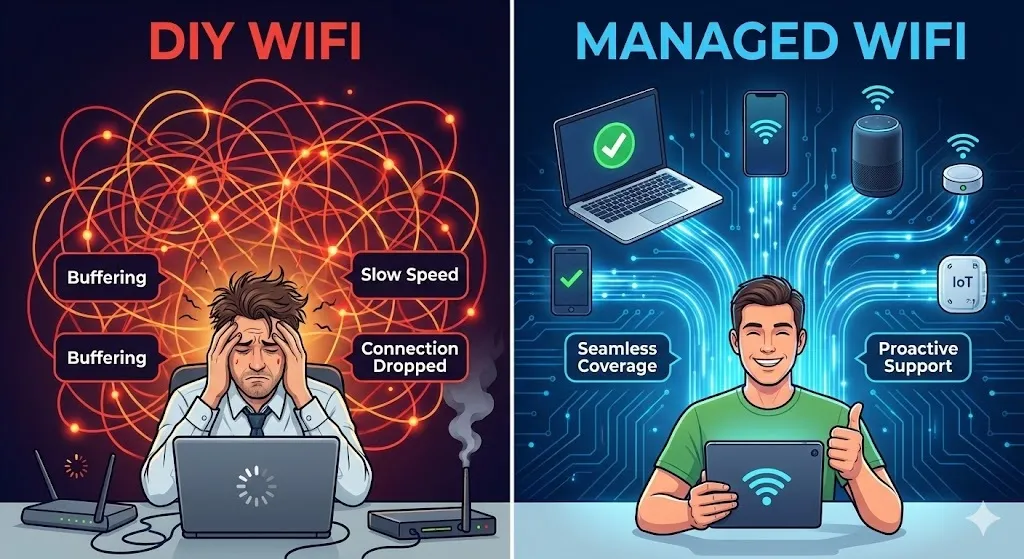
DIY vs. Managed WiFi: At a Glance
Still on the fence? Here is a quick breakdown of the difference in approach.
| Feature | Typical In-House (DIY) Approach | Managed WiFi Services Approach |
| Initial Setup | Plug in hardware, basic configuration. Hope for the best. | Professional site survey, RF planning, and custom network design. |
| Maintenance | Reactive. Fix things only when they break or users complain. | Proactive. 24/7 monitoring and optimization before issues arise. |
| Security | Basic password protection; updates happen sporadically. | Enterprise-grade security, segregated networks, automated patching. |
| IT Staff Burden | High. Constant troubleshooting distracts from core goals. | Low. Offloaded to specialists, freeing up internal resources. |
| Scalability | Difficult. Adding coverage usually requires a painful redesign. | Seamless. The network is designed to expand easily as you grow. |
Frequently Asked Questions
Q: Isn’t managed WiFi just for huge enterprises?
A: Not at all. In fact, small and mid-sized businesses often benefit the most. They get access to enterprise-grade hardware and expertise without needing a massive in-house IT budget.
Q: Do I lose control over my network if I outsource it?
A: No. You retain strategic control and visibility through dashboards, but you offload the daily grind of maintenance and troubleshooting. You set the policies; the provider enforces them.
Q: How does managed WiFi handle remote workers?
A: While managed WiFi primarily covers physical locations, many providers integrate it with broader SD-WAN or SASE solutions to ensure secure, reliable connectivity for remote users accessing corporate resources.
Conclusion
WiFi is no longer just a convenience; it is the central nervous system of modern business operations. Treating it as a DIY project is a risk you no longer need to take.
By adopting managed WiFi services, you move from a reactive, fragile network to a proactive, robust utility that drives your business forward. You improve security posture, boost employee productivity, and finally stop worrying about whether the internet will work today.






Leave a Reply